
Less relearning
Carry familiar ways of checking status and trends from one screen to another.
POWERARK EMS
Bring the site overview, energy flow, equipment status and historical trends into one operating interface.
Discuss EMS integration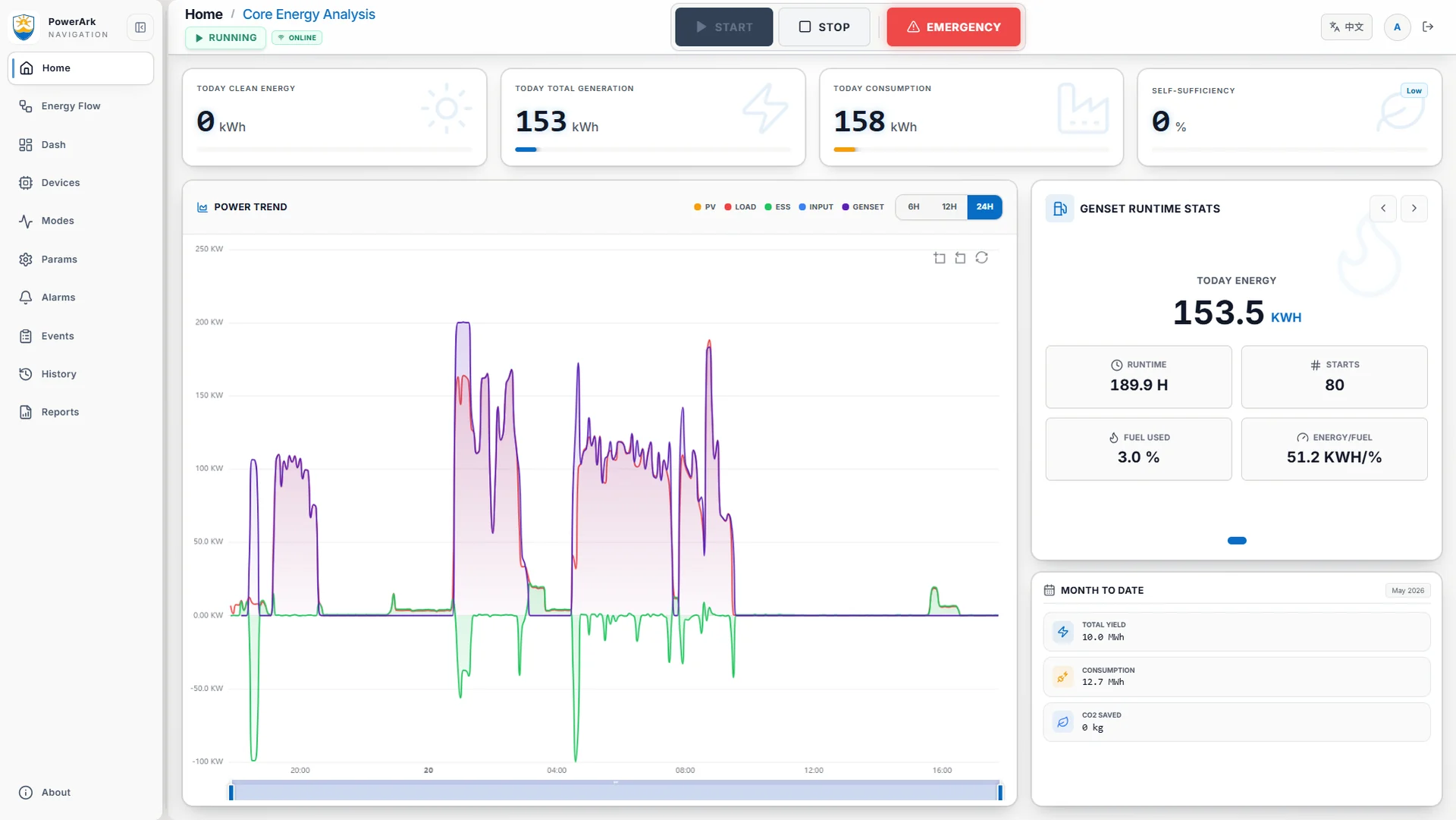
BUILT AROUND THE PEOPLE WHO USE IT
Your team should not have to relearn the EMS every time they switch screens. PowerArk brings familiar navigation, device views and trend queries to the local panel, desktop and mobile browser.
Carry familiar ways of checking status and trends from one screen to another.
Use consistent page names and workflows when colleagues take over.
Give on-site operators and remote support a familiar interface to discuss.
Unable to play here. Use Open the video below.
Making reliable, economical and quiet off-grid power more accessible also means making everyday operation easier to learn.
Recorded interface demonstrations, not live telemetry. Mobile footage uses an emulated phone viewport; its trend view shows recorded historical data. Available functions depend on connection, configuration and user permissions.
Hybrid power brings several sources and loads into one project. PowerArk EMS provides a common view for reviewing the configured battery storage, generator, solar and mains connections. The delivered functions depend on the equipment, interfaces and operating modes agreed for the site.
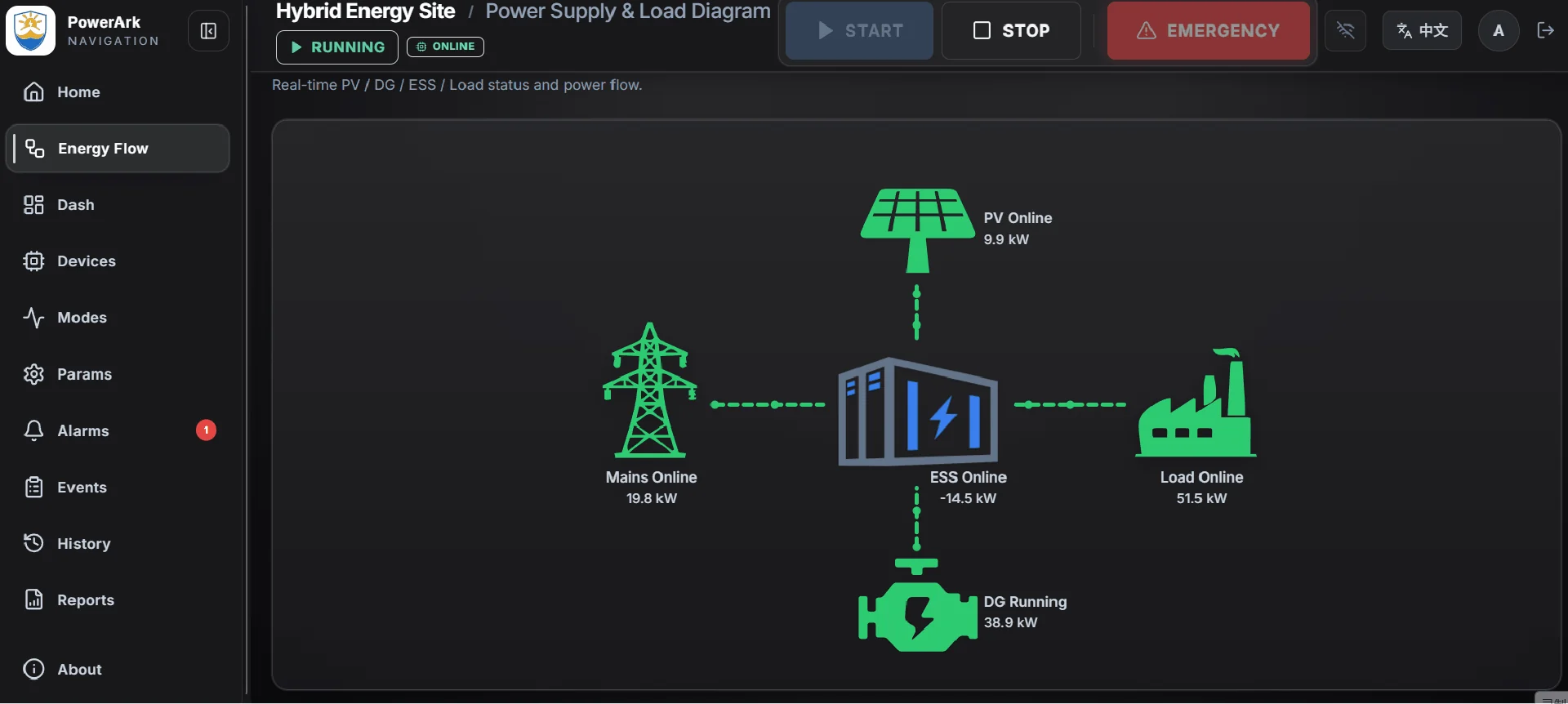
The energy-flow view places the connected sources and site load in one diagram, helping operators read the current system arrangement alongside its displayed operating values.
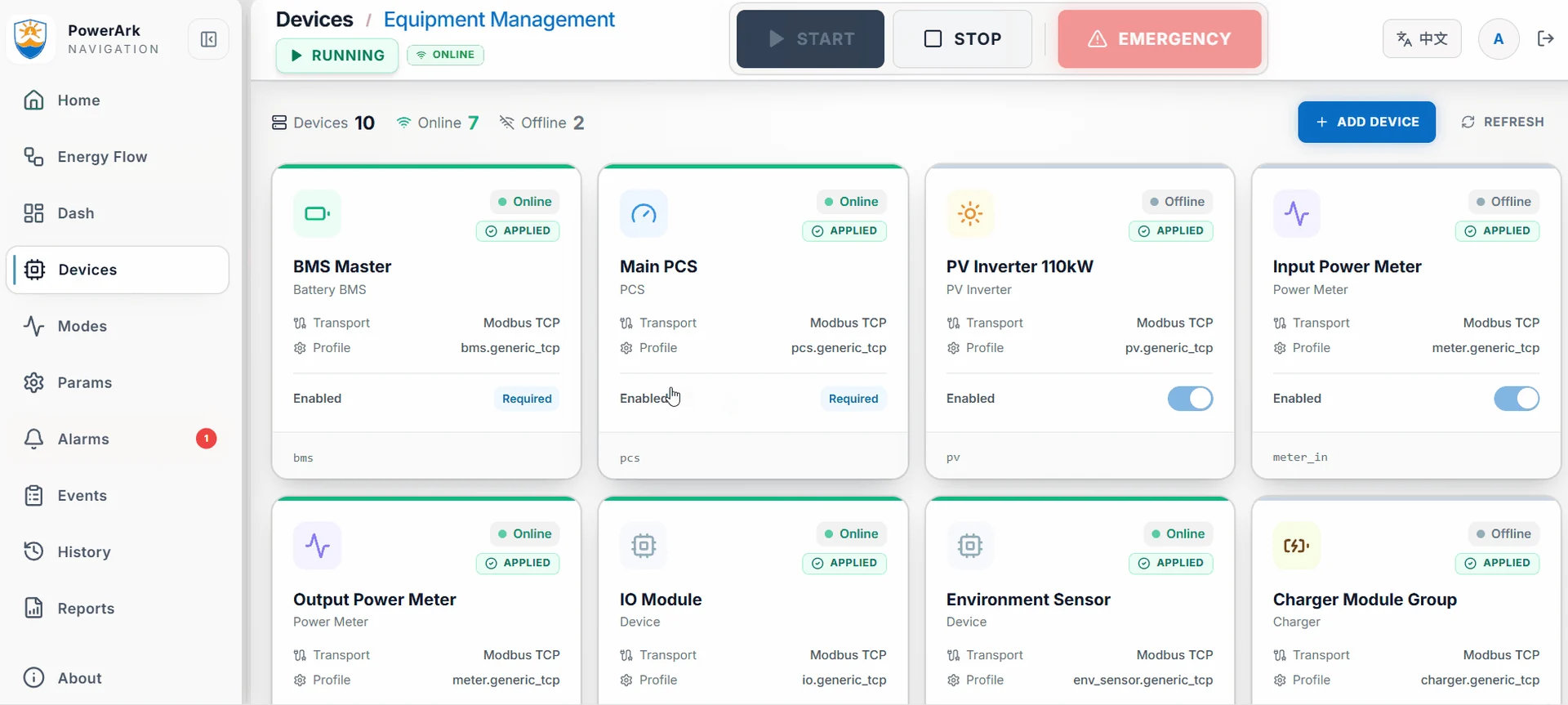
Equipment cards bring device information and connection status together. During project preparation, confirm which devices and communication interfaces are included in the integration scope.
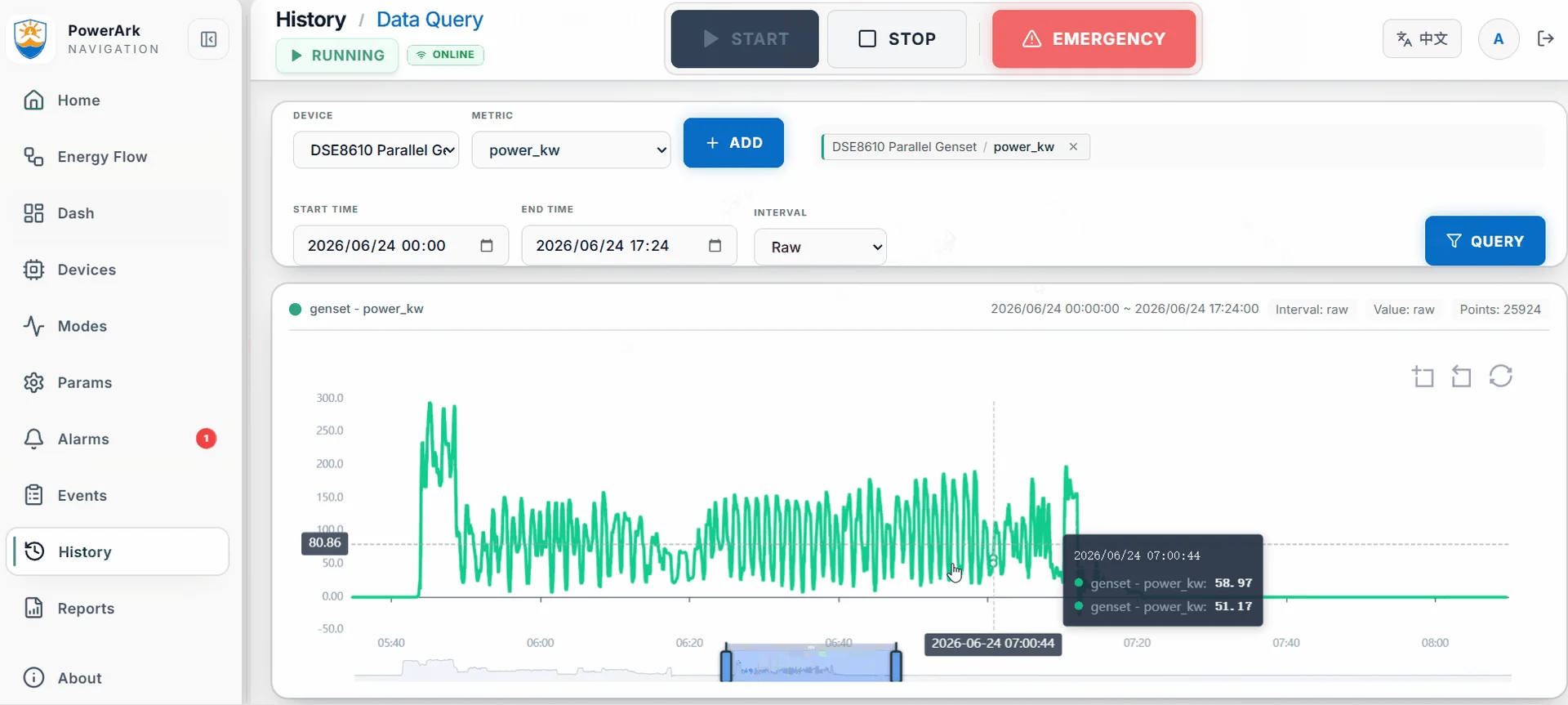
Select a device, measurement and time range to explore recorded operating trends. Historical views support review of site behavior; the screenshots here illustrate the interface rather than live data from a connected site.
A recorded, silent walkthrough of the overview, energy flow, device pages and historical data.
Send the equipment list, available communication interfaces, single-line diagram and required operating scenarios. These establish what needs to be connected, displayed and commissioned for your project.
LET’S BUILD YOUR ENERGY SYSTEM
Tell us about your application, average and peak loads, operating hours, existing genset and solar, and delivery region.
Discuss your project